01
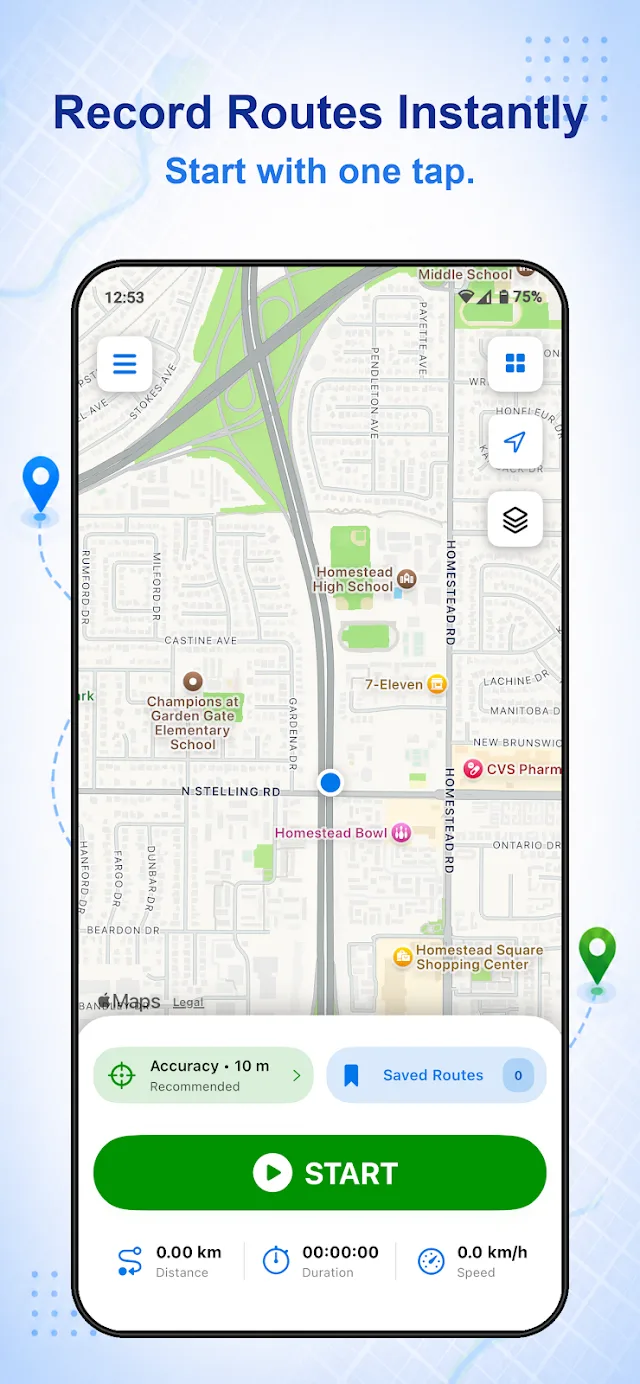
Record GPS Routes in One Tap
One tap. Your whole journey.
Press Start and Route Recorder logs your GPS position from the first turn to your destination. Pause and resume when you stop, then save the trip when you finish.
 RouteRecorder


Record. Replay. Rediscover.
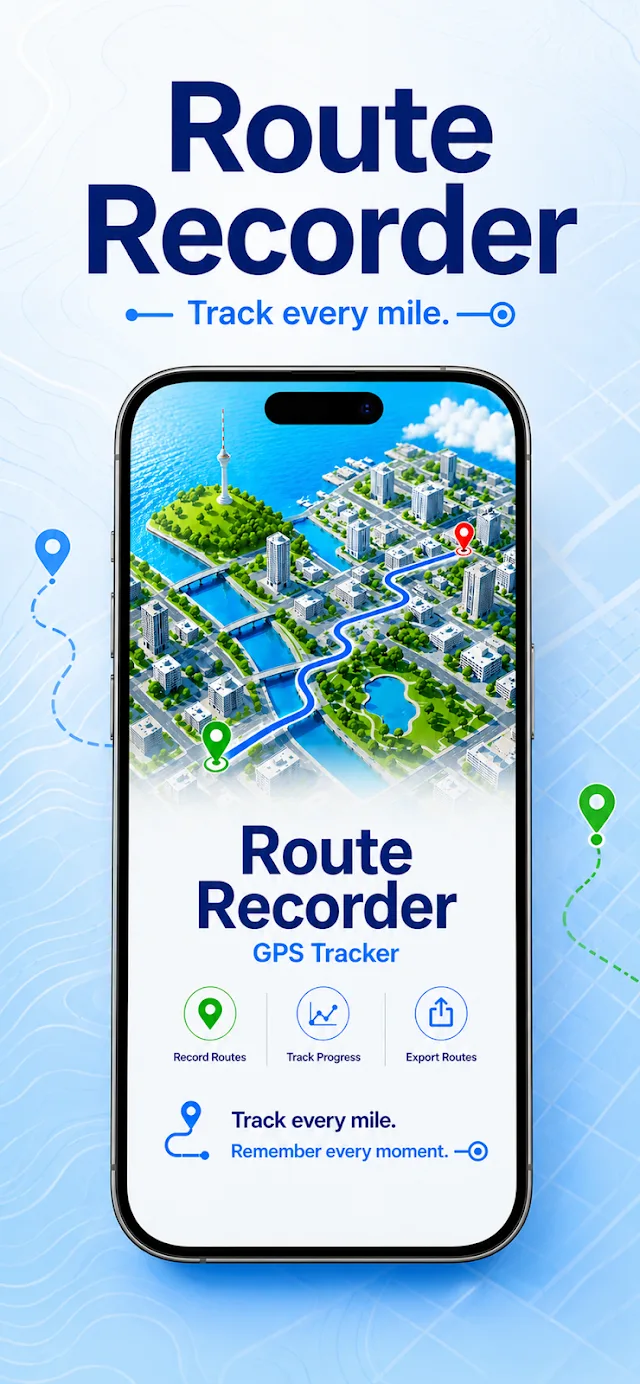
Route Recorder is a free GPS route tracker app for iPhone and Android. Tap Start to track your route as you drive, walk, cycle or hike. The app records distance, time and speed, saves each trip to your route history, replays it, guides you back along it, shares your live location and exports GPX, KML or GeoJSON files.
Free to download Works on iPhone and Android Optional Premium

DriveWalkCycleHikeExplore
Go places.
Keep the details.
Route Recorder works as a GPS logger and trip recorder in one app. It tracks your route with one tap, shows live trip statistics, keeps a searchable route history, replays past journeys, guides you back along a saved path and lets you share your live location. Premium adds unlimited saved routes, file export and cloud backup.
One tap. Your whole journey.
Press Start and Route Recorder logs your GPS position from the first turn to your destination. Pause and resume when you stop, then save the trip when you finish.
See how far you’ve come.
Watch distance, duration and current speed update while you record. Choose kilometres or miles in Settings.
Good journeys are worth keeping.
Every drive, walk, ride, and trail is saved to your route history with its distance and time and can be backed up to the cloud. Search routes by name, or sort them by date, distance, duration, or name to find a past trip in seconds.
Take the trip all over again.
Replay any recorded journey on the map from start to finish and see exactly which way you went.
Find that way again.
Open a saved route and follow the same path again, whether you are heading back to the trailhead, returning to a parked car or repeating a delivery run.
Let someone follow along.
Share your live location with family or teammates while you travel. Share for 30 minutes free, or for 1, 4 or 8 hours with Premium. Sharing stops automatically when the time ends.
Your route. Ready to go.
Import GPX, KML or GeoJSON files for free. With Premium, export your routes in the same formats, or a full database backup, to use in other mapping and navigation apps.
Detail or battery life. You choose.
Pick High Accuracy (5 m) for the most detailed track, Recommended (10 m) for most routes, or Battery Saver (30 m) for long trips. View routes on Standard, Satellite, Hybrid or Terrain maps.
Some features need Premium. See the app for current pricing.
Your next trip,
in three steps.
To record your route, open Route Recorder, tap Start before you set off, and tap Stop when you arrive. The trip is saved automatically with its map, distance and time.
Choose your GPS accuracy, tap Start, and watch distance, time and speed update as you move.
Tap Stop at your destination. The route is saved to Saved Routes with its path, distance and duration.
Open the route any time to replay it, follow it back, share it, or export it as a GPX, KML or GeoJSON file with Premium.
For the everyday.
And the out-of-the-way.
People use Route Recorder as a GPS route recorder for drives and road trips, a hiking and cycling tracker, and a simple log of the roads they cover for work. One app records them all with the same Start button.
Take the scenic route.
Record daily drives, motorcycle rides and long road trips. Use Battery Saver mode on long journeys, then replay the route or follow it again on your next trip.
Make tracks. Keep them, too.
Track a walk, run, bike ride or hiking trail. Switch to Terrain or Satellite map to see the ground you covered, and follow your saved track to find your way back to the start.
Remember the working day.
Keep a record of delivery runs, sales visits and field work, with the path, distance and time for each trip. Export routes to share them with your team or office.
Let someone know where you are.
Share your live location while you hike alone, drive at night or travel somewhere new. Share for 30 minutes, or for 1, 4 or 8 hours with Premium, and sharing stops on its own when the time ends.
The facts,
in one place.
Where you’ve been,
or how you got there.
Route Recorder and Google Maps Timeline both save where you have been, but they do different jobs. Route Recorder records the full GPS track of a trip you choose, point by point, so you can replay it, follow it back and export it as GPX or KML. Google Maps Timeline keeps an automatic history of your visits, with simplified lines between them.
| Feature | Route Recorder | Google Maps Timeline |
|---|---|---|
| Main purpose | Record a chosen trip on demand | Automatic history of visits and routes |
| How it starts | Tap Start, tap Stop | Runs in the background once the timeline is turned on |
| Route detail on the map | Full route: every turn and street, recorded point by point | Simplified path between places, often shown as a straight A-to-B line |
| Live distance, time and speed while moving | Yes | No |
| GPS accuracy control | 5 m, 10 m or 30 m modes | No user setting |
| Replay a trip from start to finish | Yes | No |
| Follow a saved route back | Yes | No built-in option |
| Export | GPX, KML, GeoJSON (Premium) | Timeline data file (JSON) from device settings |
| Import GPX / KML / GeoJSON | Yes, free | No |
| Where data is stored | On your phone, cloud backup with Premium | On your phone, an optional encrypted backup to your Google account |
| How long it is kept | Until you delete it | Auto-delete setting: 3 months by default |
| Live location sharing | Yes: 30 minutes, 1, 4, or 8 hours | Yes, through Google Maps’ separate location sharing feature |
| Price | Free with ads; optional Premium | Free |
| Best for | Hikes, road trips, delivery runs, finding your way back | Remembering places you visited |
Use Google Maps Timeline to see which places you visited. Use Route Recorder when you need the exact route you took, every turn from start to finish, to replay, follow again or share as a file.
Route Recorder GPS Tracker is a free GPS route tracker app for iPhone and Android, made by Rayo Innovations Private Limited. It records the path you travel with live distance, time and speed, saves trips to a searchable route history, replays and navigates saved routes, shares your live location, and imports or exports GPX, KML and GeoJSON files.
To record your route, open Route Recorder, tap Start before you set off, and tap Stop when you arrive. The app draws your path on the map and shows distance, time and speed as you move. Each finished trip is saved to Saved Routes, ready to replay, follow again or export.
Not as a GPS track you can replay or export. Google Maps Timeline, when turned on, keeps a history of places and trips, but it is not built to record a route you can follow back step by step or export as a GPX file. A route recorder app such as Route Recorder logs the exact path and lets you replay, follow and export it.
Route Recorder records your route and lets you follow the same saved path back. Record the outward trip, open it from Saved Routes, and follow the line on the map back to a trailhead, campsite or parked car. Switch to the Satellite or Terrain map to match the route with what you see around you.
Yes. Route Recorder records any journey you make with your phone: drives, road trips, motorcycle rides, walks, runs, bike rides, hikes, deliveries and field visits. Use High Accuracy (5 m) for short, detailed routes and Battery Saver (30 m) for long drives or all-day hikes.
Tap Share Live Location, enter your name, choose how long to share, and tap Start Live Sharing. Sharing for 30 minutes is free; Route Recorder Premium extends it to 1, 4 or 8 hours. Sharing stops automatically when the chosen time ends.
With Route Recorder Premium, open Import / Export from the menu and choose Export GPX, Export KML or Export GeoJSON. You can also export a full database backup. The exported files open in most mapping, hiking and navigation apps that support these formats.
Yes. Importing is free for every Route Recorder user. Open Import / Export from the menu and choose Import GPX, Import KML, Import GeoJSON or Import Database to bring in routes from other apps or restore a backup file.
Route Recorder offers three accuracy settings: High Accuracy records at about 5 metres, Recommended at about 10 metres, and Battery Saver at about 30 metres. Recommended suits most routes. Real-world accuracy also depends on your phone’s GPS, a clear view of the sky, and surroundings such as tall buildings or dense forest.
The Route Recorder app uses battery while recording, like every GPS app, and higher accuracy uses more. Its Battery Saver mode (30 m) records fewer location points and is designed for long trips, while High Accuracy (5 m) uses the most power. Recommended mode (10 m) balances detail and battery for everyday routes. Once location permission is allowed, Route Recorder keeps recording with the screen off, so you can lock your phone and save battery.
A GPS tracker sends a location to another person in real time, while a GPS logger records your own route for later review. Route Recorder does both: it logs every route for replay and export, and it can share your live location for a set time when you choose.
Yes. Route Recorder Premium backs up your routes to cloud servers and syncs them across your devices, so you can restore them after changing or losing a phone. Premium users can also export a database backup file, and any user can import that file later.
Route Recorder is free to download and record routes, with ads. Premium removes ads and adds unlimited saved routes, GPX, KML and GeoJSON export, cloud backup, and live location sharing for up to 8 hours. Premium is sold as a monthly, yearly or one-time lifetime plan, with local prices shown in the app.
Go out.
Bring the memories back.
★★★★★
“Excellent. very useful. Thanks for your creative app”
★★★★★
“very nice good service”
★★★★★
“Very good, versatile, useful”
Free to download. In-app purchases available.